Merge PDF

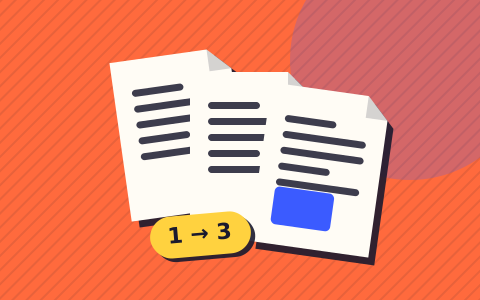
Combine two or more PDFs into a single file. Put them in order, press merge, and the new PDF downloads. Your files never leave your device.

  • UploadsNone
  • AccountNot needed
  • Works offlineYes
  • PriceFree
Drop PDF files here, or click to choose
Two or more PDFs · nothing is uploaded

    Why it is safe to use

    Your file stays on your device

    The work happens in your browser. Nothing is uploaded, so there is nothing to leak or delete later.

    No queue, no waiting

    No upload step. The result is ready as soon as your device finishes.

    Works offline

    Lose your connection and it keeps working, once the page has loaded.

    Check it yourself

    Open your browser’s developer tools, choose the Network tab and run the tool on a file. You’ll see one anonymous page-view count, and nothing carrying your file.

    How it works

    1. Drop two or more PDF files into the box, or click to choose them.
    2. Use the arrows to set the order. The top file comes first.
    3. Press Merge PDFs and the combined file saves to your device.

    Questions people ask

    Do I need to sign up or pay?

    No account, no payment, no watermark, no CAPTCHA before download. Free.

    Does it work offline?

    Yes — once loaded, you can disconnect and it still works. You can even install Lokafile as an app.

    How do I merge PDF files for free?

    Drop your PDFs into the box, use the arrows to put them in order, then press Merge PDFs. The combined file downloads straight away. There’s no account, no watermark and no limit on how many times you use it.

    Are my PDFs uploaded anywhere?

    No. Most PDF mergers send your files to their server and send the result back. Here the merging happens in your browser, so contracts, bank statements and ID scans stay on your device the whole time.

    Will merging reduce the quality?

    No. Pages are copied across exactly as they are, so text stays selectable and images keep their original resolution. Nothing is re-compressed.

    Can I merge a password-protected PDF?

    Not while it’s locked. Open it with its password and save a copy without protection, then add that copy here. The tool will tell you which file is locked.

    Is there a limit on file size or number of files?

    No set limit. Very large files (several hundred MB in total) depend on your device’s memory, so a phone may struggle where a laptop won’t.
    When you’d merge PDFs

    Job applications that want one file, not five. A mortgage or visa application where the portal takes a single upload. Monthly invoices you want to send as one attachment. Scanned pages that came out of the printer as separate files. In each case the job is the same: several PDFs in, one PDF out, pages in the right order.

    Why this one doesn’t upload your files

    The documents people merge are often the private ones: payslips, passports, signed contracts. Lokafile combines them inside your browser, so there’s no upload, no copy on someone else’s server and no wait for the file to come back. You can check it yourself: load the page, switch off your Wi-Fi, and it still works.

    What gets kept

    Part of the PDFAfter merging
    Text and fontsKept exactly, still selectable and searchable
    Images and scansKept at full resolution, not re-compressed
    Page size and orientationKept per page, so A4 and Letter can sit in one file
    Links inside pagesUsually kept
    BookmarksRemoved
    Form fieldsStop working. Fill forms in before merging

    Merging photos instead of PDFs

    If what you have are photos or screenshots rather than PDFs, use Image to PDF to turn them into one document first. The guide to combining photos into one PDF covers phones and computers step by step.